jQuery实现分隔条左右拖动功能
更新时间:2026-10-06 21:53:51作者:fang
本文实例讲述了jQuery实现分隔条左右拖动功能的实现代码。分享给大家供大家参考。具体如下:
运行效果截图如下:

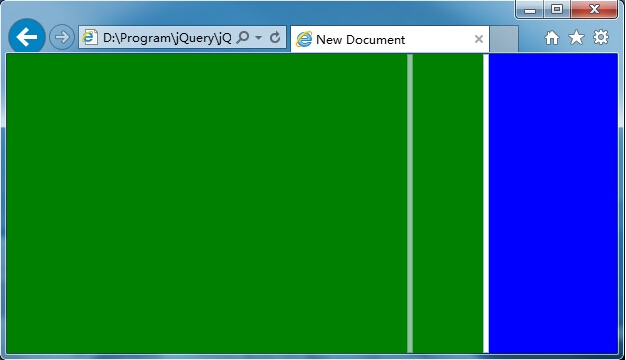
具体内容如下
<!DOCTYPE HTML PUBLIC "-//W3C//DTD HTML 4.01 Transitional//EN" "http://www.w3.org/TR/html4/loose.dtd">
<html>
<head>
<title> New Document </title>
<script type="text/javascript" src="jquery.min.js"></script>
<style type="text/css">
html, body, div {
margin: 0;
padding: 0;
border: 0;
-moz-user-select: none;
-webkit-user-select: none;
}
.gf_s {
float: left;
width: 4px;
cursor: e-resize;
background-color: #fff;
border: #99BBE8 1px solid;
}
.gf_s_g {
float: left;
width: 4px;
display: none;
cursor: e-resize;
position: absolute;
background-color: #F0F0F0;
border: #99BBE8 1px solid;
filter: alpha(opacity=60);
-moz-opacity: 0.6;
-khtml-opacity: 0.6;
opacity: 0.6;
z-index: 1000;
}
</style>
</head>
<body>
<div id="divP" style="width:100%; height:100%;">
<div id="divLeft" style="background-color: green; float: left; "></div>
<div id="divS" class="gf_s" style="float: left;"></div>
<div id="divSG" class="gf_s_g" style="float: left;"></div>
<div id="divRight" style="background-color: blue; float: left;"></div>
</div>
<script type="text/javascript">
var $sliderMoving = false;
//兼容各种浏览器的,获取鼠标真实位置
function mousePosition(ev) {
if (!ev) ev = window.event;
if (ev.pageX || ev.pageY) {
return { x: ev.pageX, y: ev.pageY };
}
return {
x: ev.clientX + document.documentElement.scrollLeft - document.body.clientLeft,
y: ev.clientY + document.documentElement.scrollTop - document.body.clientTop
};
};
//获取一个DIV的绝对坐标的功能函数,即使是非绝对定位,一样能获取到
function getElCoordinate(dom) {
var t = dom.offsetTop;
var l = dom.offsetLeft;
dom = dom.offsetParent;
while (dom) {
t += dom.offsetTop;
l += dom.offsetLeft;
dom = dom.offsetParent;
};
return { top: t, left: l };
};
//分隔条幽灵左右拖动(mousemove)
function sliderGhostMoving(e) {
$("#divSG").css({ left: mousePosition(e).x - 2, display: "block" });
};
//完成分隔条左右拖动(mouseup)
function sliderHorizontalMove(e) {
var lWidth = getElCoordinate($("#divSG")[0]).left - 2;
var rWidth = $(window).width() - lWidth - 6;
$("#divLeft").css("width", lWidth + "px");
$("#divRight").css("width", rWidth + "px");
$("#divSG").css("display", "none");
};
function reinitSize() {
var width = $(window).width() - 6;
var height = $(window).height();
$("#divLeft").css({ height: height + "px", width: width * 0.75 + "px" });
$("#divS").css({ height: height - 2 + "px", width: "4px" });
$("#divSG").css({ height: height - 2 + "px", width: "4px" });
$("#divRight").css({ height: height + "px", width: width * 0.25 + "px" });
}
$(document).ready(function () {
reinitSize();
$("#divS").on("mousedown", function (e) {
$sliderMoving = true;
$("divP").css("cursor", "e-resize");
});
$("#divP").on("mousemove", function (e) {
if ($sliderMoving) {
sliderGhostMoving(e);
}
});
$("#divP").on("mouseup", function (e) {
if ($sliderMoving) {
$sliderMoving = false;
sliderHorizontalMove(e);
$("#divP").css("cursor", "default");
}
});
});
$(window).resize(function () {
reinitSize();
});
</script>
</body>
</html>
希望本文所述对大家学习jquery分隔条有所帮助。